Automations

Reimagining Automations

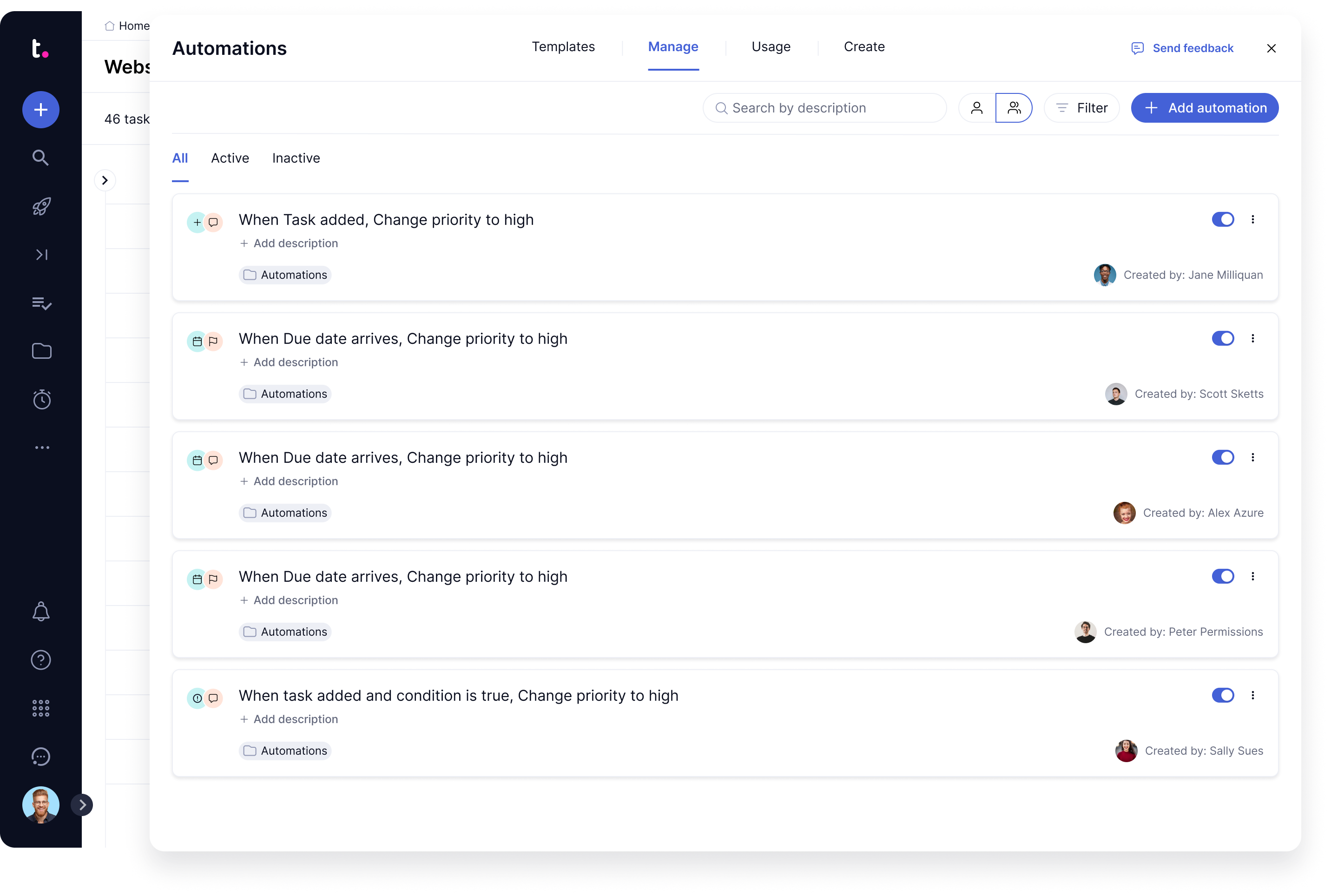
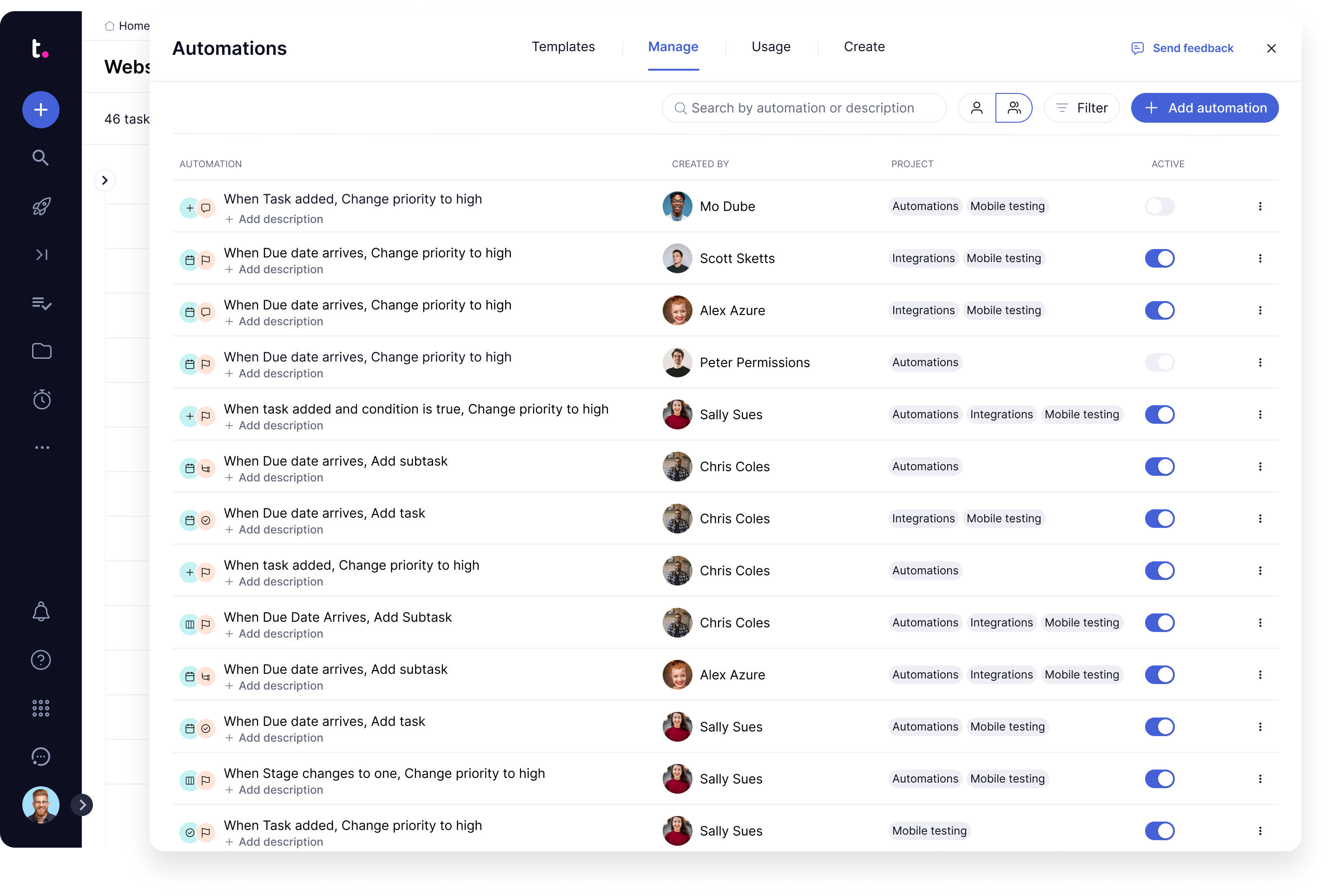
The automations manage tab originally listed every automation as a large vertical card. As teams scaled to dozens of automations, the layout became slow to scan — lots of scrolling, lots of back-and-forth, and a heavy footprint that limited how much could ever be surfaced per automation. I redesigned it as a table and ran a preference test against the existing card layout to validate the direction with real users.

A layout built to scale

The existing card layout gave each automation a large, spacious row — comfortable, but only a few fit on screen at once and there was no room to grow.

What Changed

I redesigned the manage tab as a table: a compact row per automation with dedicated columns for the automation, who created it, the related project(s), and an active toggle. The denser layout fits far more on screen, scans faster, aligns with the table patterns used elsewhere in the product, and — critically — leaves room to surface more metadata over time by turning columns on and off, rather than overwhelming a card. I tested the new table against the original cards in an unmoderated preference study (50 respondents) to confirm the direction before building.

Before — the original card layout

Before — the original card layout

After — the redesigned table layout

After — the redesigned table layout

Metrics

Validating the table layout with real users

Before building, I tested the redesigned table against the existing card layout in an unmoderated preference study. The result was decisive — and the reasoning behind it pointed clearly at why the table scales better.

80%

Preferred the table

40 of 50 respondents chose the redesigned table layout over the original cards

Scannability

The top reason cited

Users repeatedly pointed to seeing more automations at once, faster scanning, and less scrolling

Customisable columns

Most-requested addition

Testers asked, unprompted, to toggle which columns they see — validating the extensible direction

What users said

More info in the overview, all fitting one screen, easier to manage.

Survey participant

Less scrolling, easier to see all in a glance, well organized, simple, clean, and consolidated.

Survey participant

Cleaner, seems to also match the other table interfaces.

Survey participant

Clear who created the automation, what project it is related to, and active/inactive. Looks clean too.

Survey participant